
Mastering Your Gear in Dune: Awakening - A 2026 Loadout & Equipment Guide
Master your Dune: Awakening survival with this essential guide to manually managing your crucial loadout wheel, armor, and emotes on Arrakis.
Hey, fellow Fremen and future Imperials! I've been living on Arrakis in Dune: Awakening for a while now, and let me tell you, managing your gear is as crucial as finding your next sip of water. When you first start, the game helpfully auto-fills your loadout wheel, but that honeymoon phase ends faster than a spice blow in a sandstorm. Soon, you'll be drowning in loot, and knowing how to manually curate your toolkit becomes the difference between thriving and becoming worm food. Think of your loadout wheel not just as a menu, but as the very skeleton of your survival strategy on this brutal planet. Let me guide you through the essentials of gearing up in 2026.
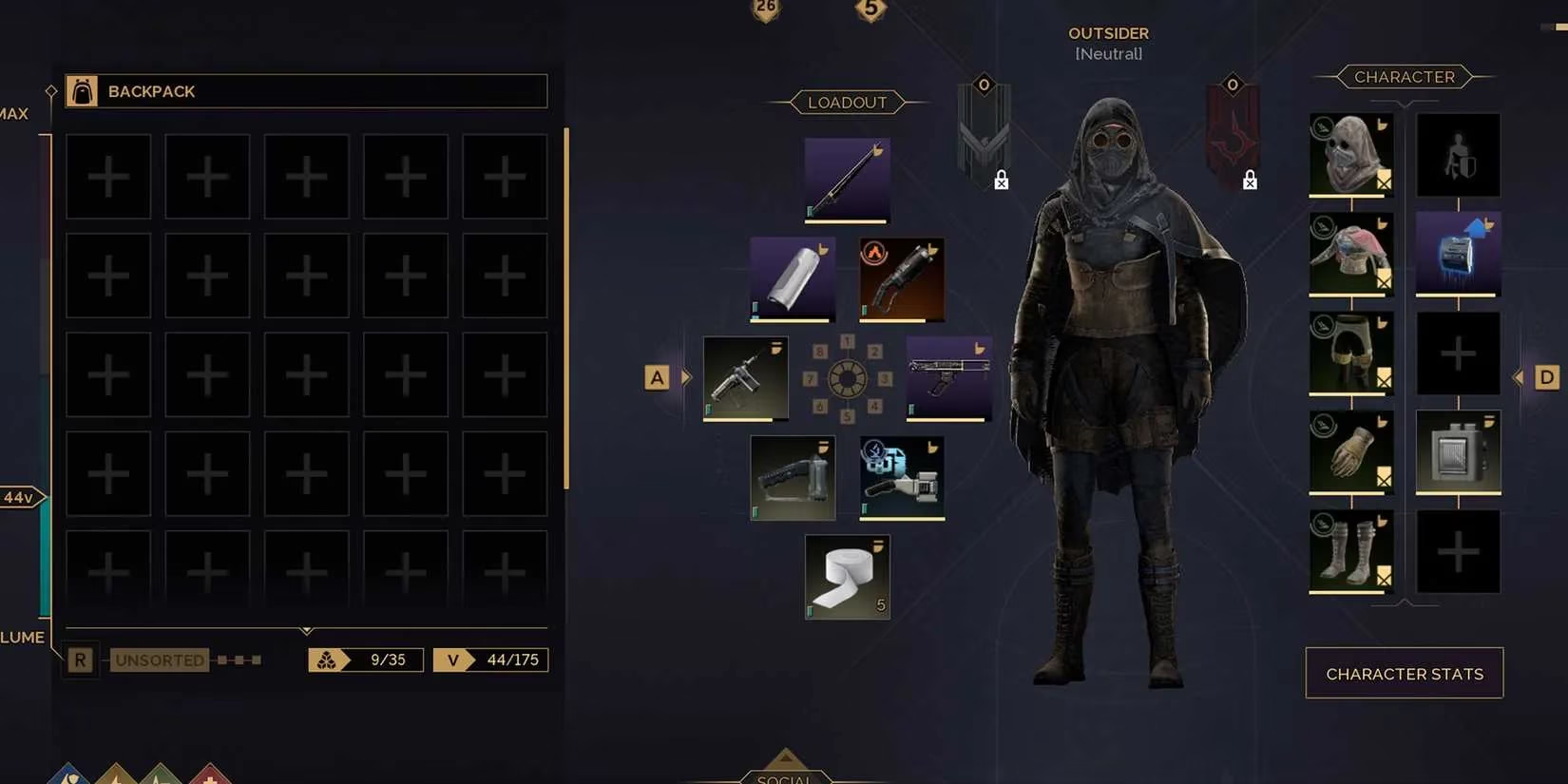
Navigating Your Personal Arsenal: The Loadout Wheel
Your loadout wheel is your lifeline. To access and modify it, you need to dive into your menu. Don't get lost in the UI desert! The key is selecting 'Inventory' from the top bar. This is your command center. Here's the simple magic: to equip or unequip any active item—weapons, tools, medkits—you just click and drag it to or from a slot on the wheel. It's intuitive! This section also lets you peek at your character stats and faction standing, which is super important for long-term planning.
⚠️ Pro Tip: The menu has multiple tabs (Map, Crafting, Research, etc.), so you won't always land in Inventory first. It's like your stillsuit's control panel; you need to know which valve to turn. Always look for the 'Inventory' label!
Expressing Yourself: The Emote Loadout
Survival isn't just about fighting; it's about communication! Your emote wheel is a separate but equally vital page. To switch to it from your main loadout:
-
On PC: Press
Cwhile in the Inventory. -
On Xbox Controller: Press
Y. -
On PlayStation Controller: Press
Triangle.
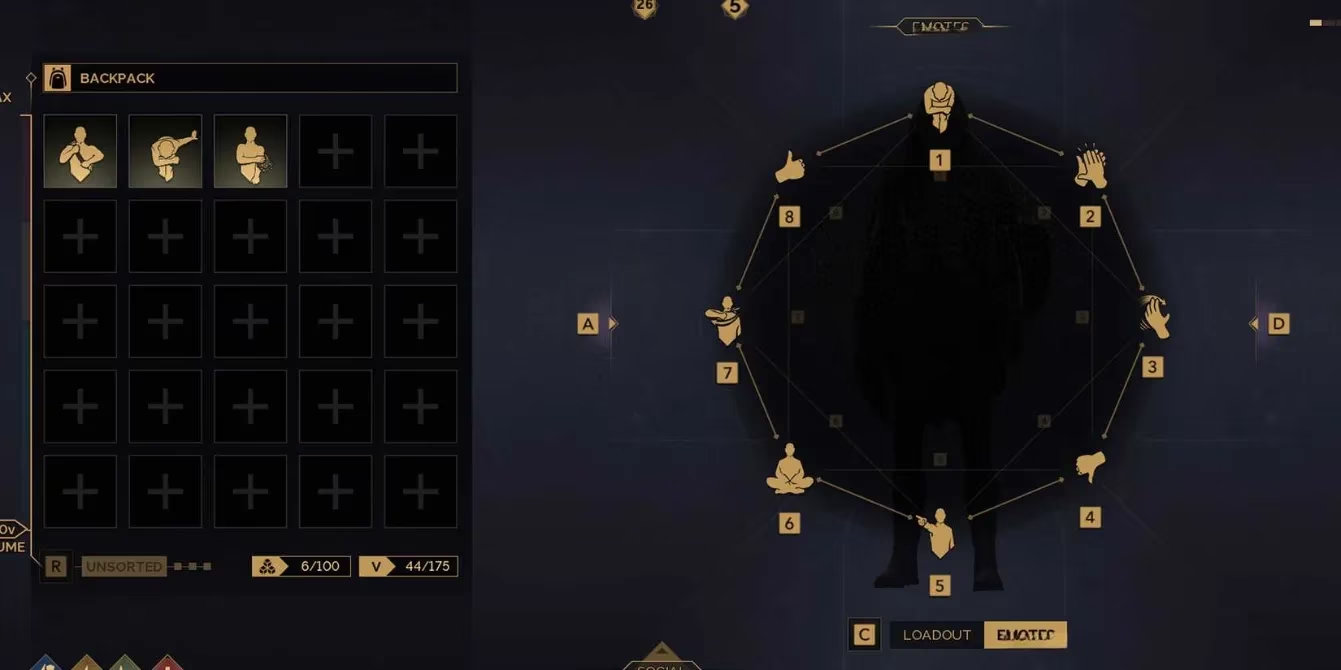
Swapping emotes here uses the same drag-and-drop system. Having the right emote ready—a respectful bow to a guild navigator or a defiant gesture to a rival—can be as strategic as choosing the right weapon. It's the social spice of your interactions!
Suiting Up: Armor & Passive Gear
Now, for the stuff that keeps you alive passively. Armor, Power Packs, and Suspensor Belts aren't on the main wheel. They live in the 'Character' subsection of your Inventory screen. Equipping them follows the same drag-and-drop rule.
-
Power Pack: This is the beating heart of your powered gear. Without it, tools like the Cutteray Mk1 are just fancy paperweights. It's the battery that brings your tech to life.
-
Suspensor Belt: An absolute game-changer. It negates fall damage and allows for enhanced jumps and floating. Navigating the cliffs of Arrakis without one feels like trying to swim in tar.
Looking the Part: Armor Customization
Want to look cool while surviving? Head to the 'Customization' tab in your main menu. Here, you can apply different patterns to your equipped armor. It's a nice touch for personal flair, though I have to be honest—the options in 2026 are still somewhat limited. You can't go full-on fashionista, but you can add a bit of personal tattoo-like identity to your kit. Pick a piece of gear, select a pattern, and make it yours.
The Hunt for Better Gear: How to Get More Equipment
A barren inventory is a death sentence. Here’s how to keep yours overflowing:
-
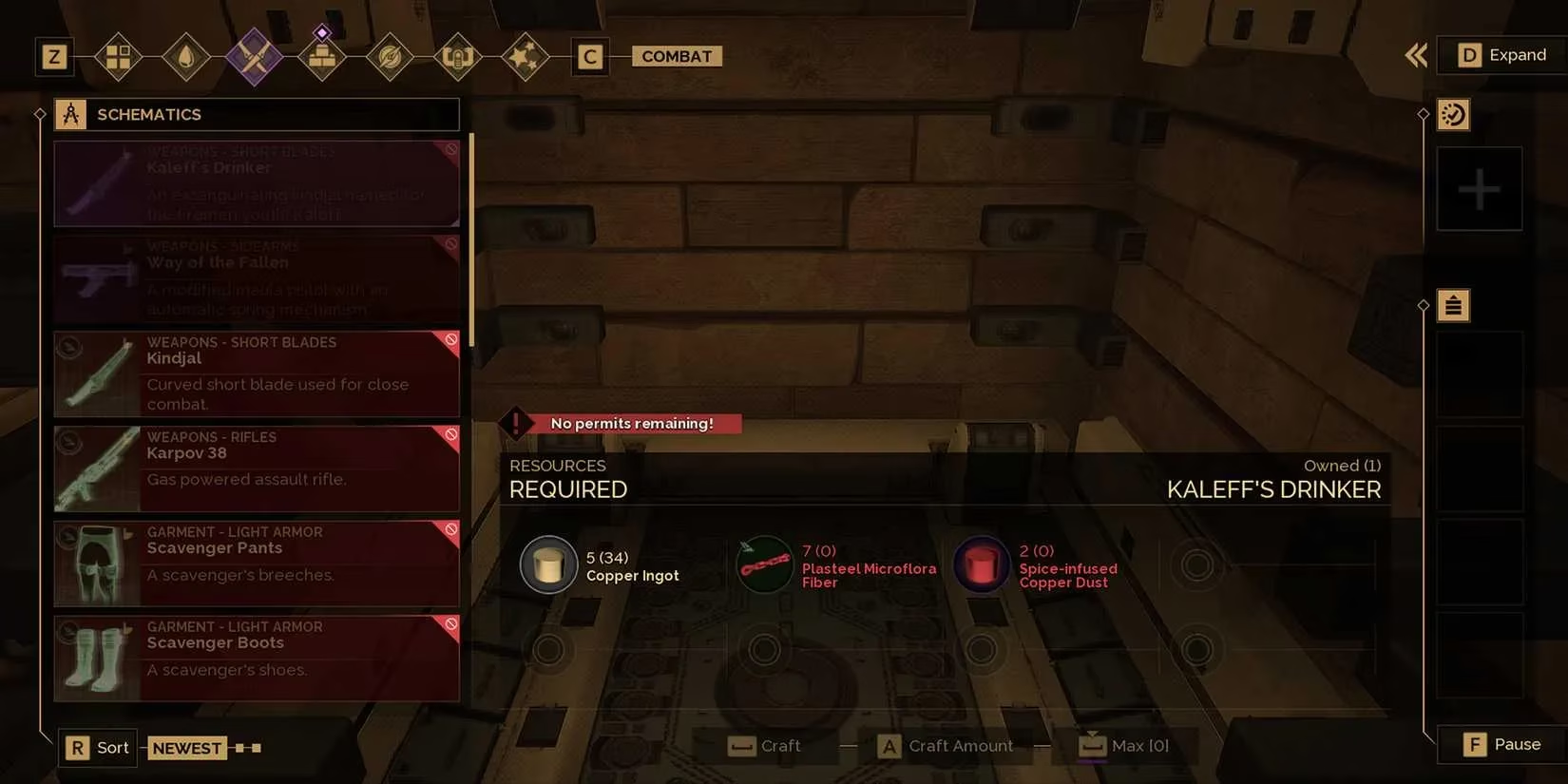
Research & Crafting: The 'Research' tab is your library of creation. Spend your hard-earned Intel points to unlock schematics for new gear. It's like planting a secret garden of technology in the deep desert—you nurture the knowledge, and it blooms into tools.
-
Loot Everything: Enemies, abandoned camps, hidden caves, and derelict labs are all treasure troves. Be thorough!
-
Find Schematics: Seek out physical blueprint items in the world. Once found, open your inventory, 'learn' the schematic, and it becomes permanently available at your Fabricator.
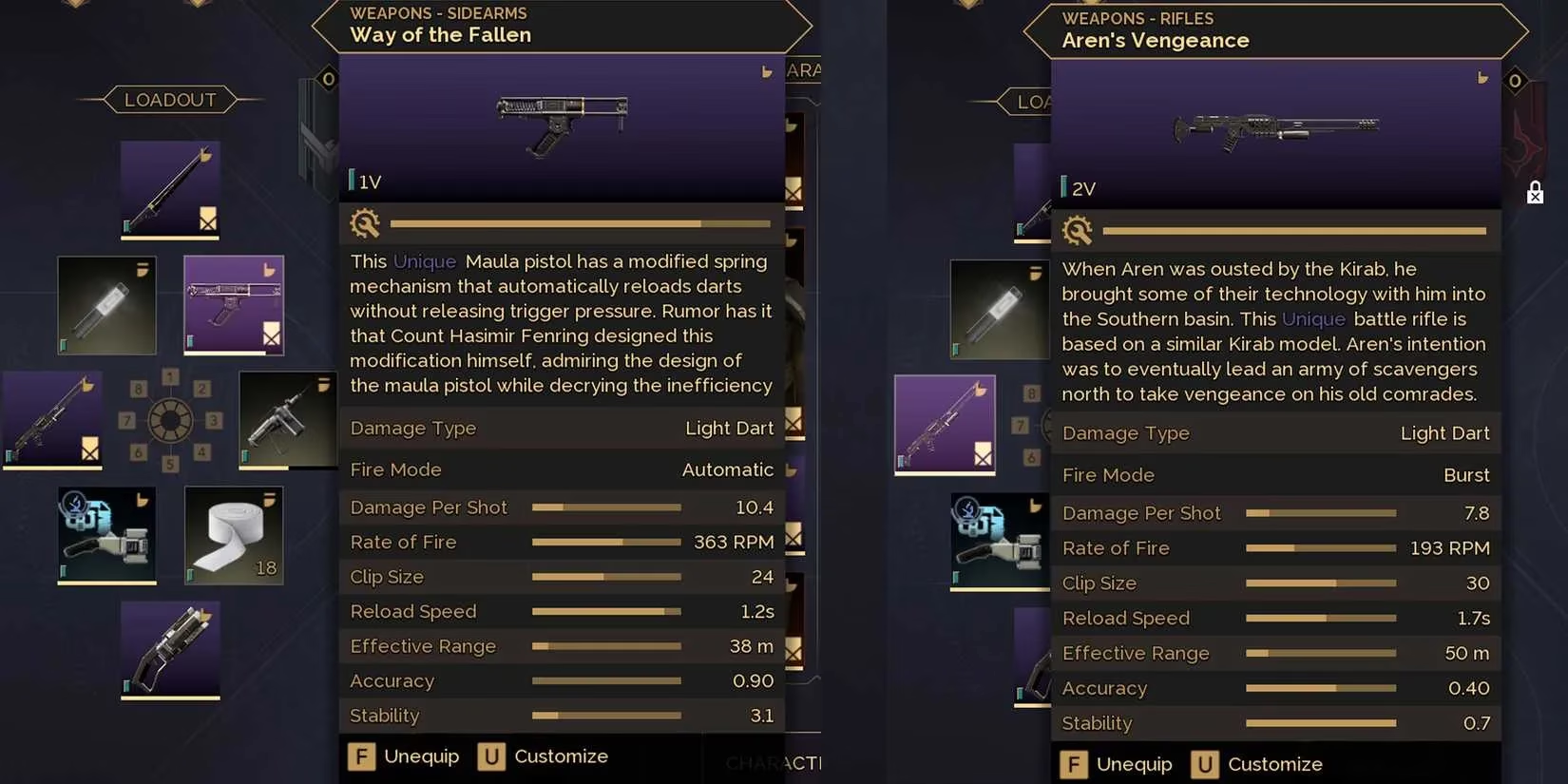
Putting It All Together: A Sample Early-Game Loadout
Let me share what worked for me when I was starting out. Think of your loadout as a symphony of utility, where every item plays a specific note.
| Slot | Item Suggestion | Primary Use |
|---|---|---|
| 1 | Krys Knife | Fast melee, your last line of defense. |
| 2 | Maula Pistol | Reliable sidearm for human threats. |
| 3 | Cutteray Mk1 | Mining resources & solving puzzles. |
| 4 | Stillsuit Repair Kit | Essential maintenance. |
| 5 | Medical Pack | Healing in a pinch. |
| 6 | Glowglobe | Lighting up dark caves. |
| 7 | Thumper | 👀 For when you need a distraction... |
| 8 | Friendly Wave Emote | Non-verbal communication is key! |
Passive Slots (Character Menu):
-
Armor: Best chest piece you've looted.
-
Utility 1: Power Pack (to run the Cutteray).
-
Utility 2: Suspensor Belt (for exploration).
Remember, survivors, your loadout is a living thing. Change it based on your mission: swap the Thumper for a breathing mask if you're heading into a deep spice cavity, or add more medkits for a known hostile zone. Mastering this system is the first step to ruling the sands. May your blade never dull, and your water never run out! 💧⚔️